
Ever looked at a movie poster. Thought it would be amazing to have a photo that looks just like that? You don't have to have a camera or a pro photographer anymore. With the Cinematic Photo Prompt for Gemini AI, you can change your regular pictures into amazing movie-style photos in just a few seconds.
Google Gemini AI makes it easy to edit photos. You just upload your picture, type in a prompt, and let the AI do the creative work. Whether you want a look like a movie, a mysterious scene, or a warm old-fashioned portrait, there is a style for just about any feeling.
Let's check out five prompts that are ready to use with Gemini AI. These can help you make cinematic photos without all the complicated editing.
5 Best Cinematic Photo Prompts for Gemini AI
Are you ready to make your photos look like they are from a movie? These five prompts have styles. Some are colorful and big; others are soft and old-fashioned.
1. Teal and Orange Hollywood Cinematic Look
Do you want your photo to look like it came from a movie? This color choice makes skin look warm and shadows look cool. It gives a polished look to portraits.

Prompt: Transform [YOUR PHOTO] into a cinematic film still with the classic teal-and-orange blockbuster grade: warm orange skin tones against cool teal shadows and background. Keep my exact face, likeness, and identity unchanged. Do not alter my features, age, or skin tone. Add soft cinematic lighting, subtle film grain, anamorphic shallow depth of field, and a composed expression.
2. Dark Thriller Cinematic Photo
If you like scenes from movies, this prompt is a good choice. It makes the picture look darker with colors that are not bright, soft shadows, and a serious expression. Great for portraits and moody posts on social media.
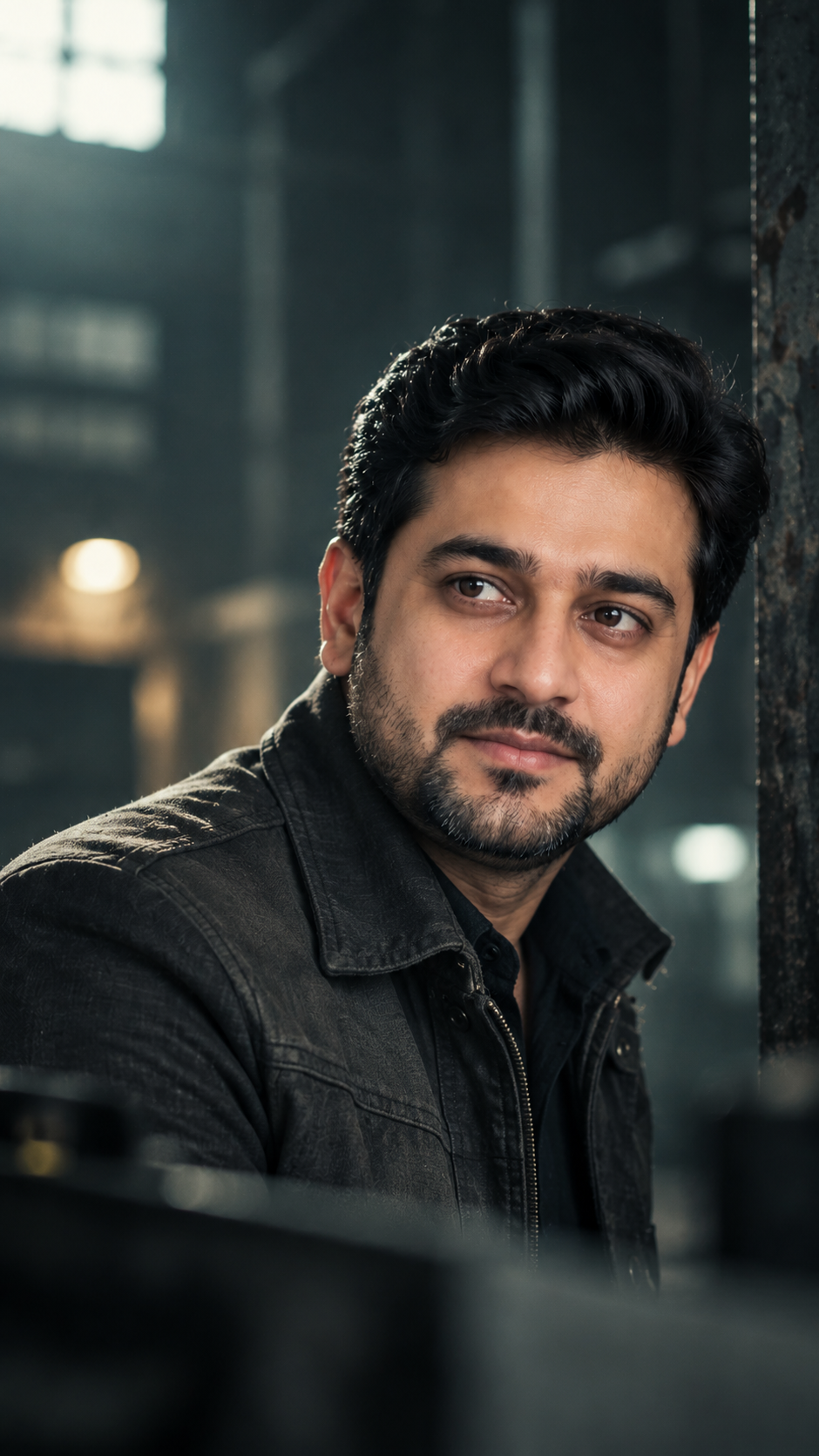
Prompt: Restyle [YOUR PHOTO] into a tense thriller film still: a desaturated cool grade, muted greens and greys, low soft light, and heavy atmosphere. Keep my exact face and identity unchanged. Do not alter my features, age, or skin tone. Add subtle grain, a shallow depth of field, and a serious watchful expression.
3. Gritty War Film Cinematic Effect
Are you looking for something powerful? This style has a lot of contrast, dark shadows, and colors that are not very bright. It creates a real look that is like a movie still.
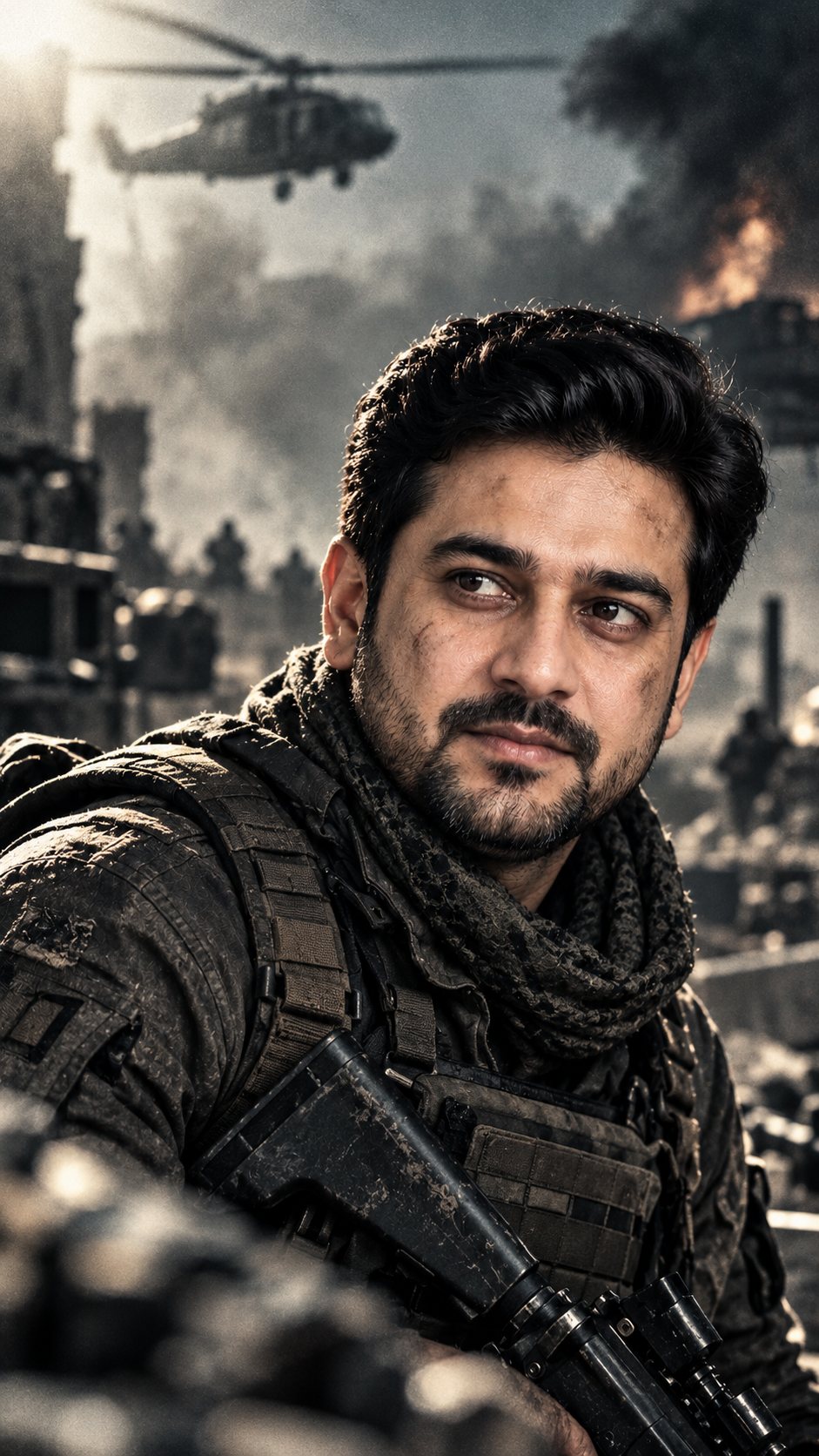
Prompt: Transform [YOUR PHOTO] into a gritty war-film aesthetic using a bleach-bypass look: high contrast, desaturated color, crushed shadows, and a raw metallic sheen. Keep my exact face and identity unchanged. Do not alter my features, age, or skin tone. Add heavy grain, hard directional light, and an intense expression.
4. Warm Vintage Period Drama Look
Not every movie-style photo needs shadows. Sometimes warm colors and soft light can make a picture look more beautiful. This prompt gives your photo a classic feel that is like old-time dramas.

Prompt: Convert [YOUR PHOTO] into a warm period-drama film still: rich golden tones, soft glowing light, gentle contrast, and a timeless nostalgic mood. Keep my exact face, likeness, and identity unchanged. Do not alter my features, age, or skin tone. Add fine grain, a soft-focus background, and a contemplative pose.
5. Whimsical Symmetrical Film Still
Would you like something and a little different? This style uses colors, balanced pictures, and funny expressions to make a charming storybook look.
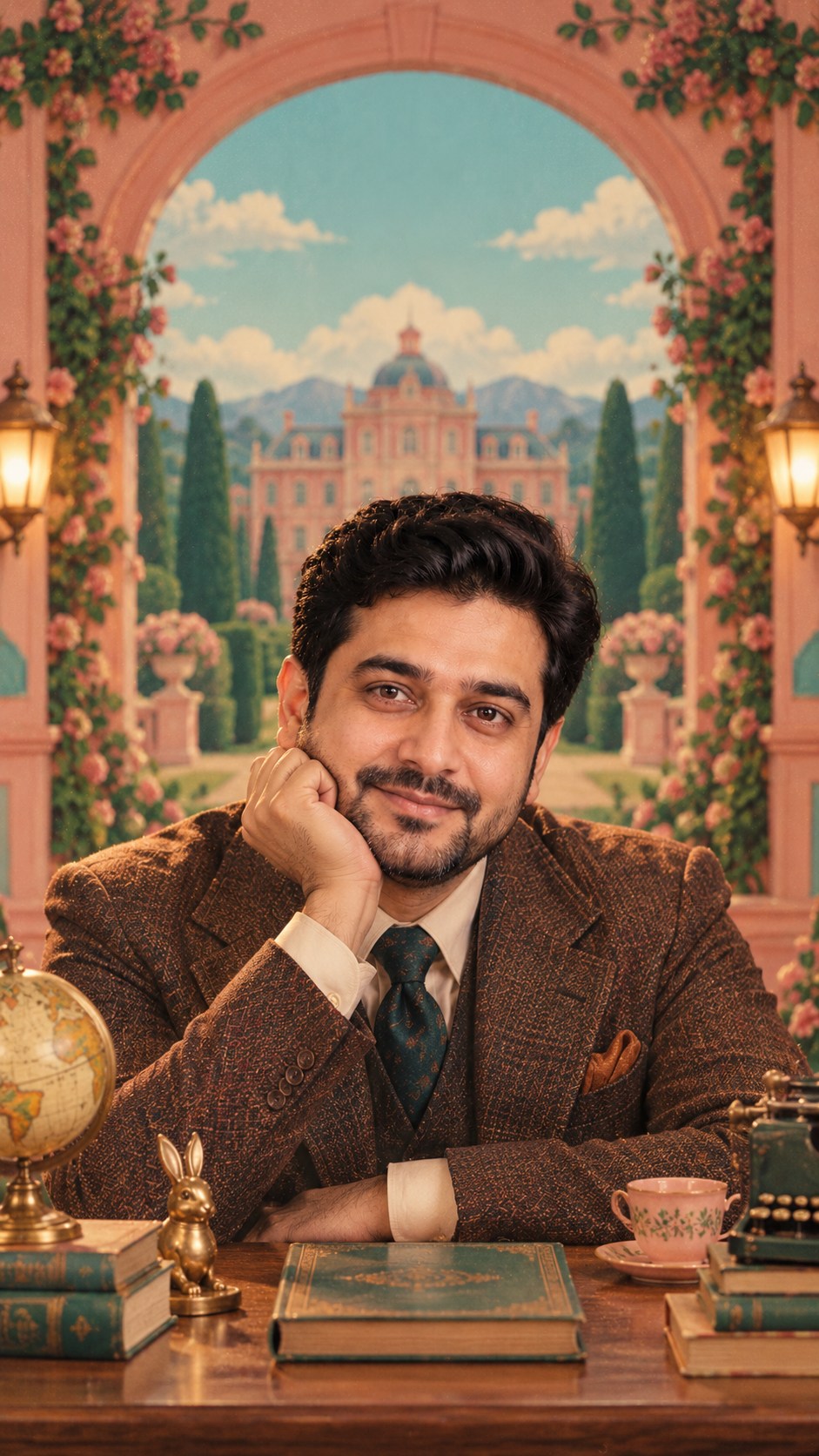
Prompt: Restyle [YOUR PHOTO] into a whimsical symmetrical film still with a pastel palette, perfectly centered composition, and flat frontal framing. Keep my exact face, likeness, and identity unchanged. Do not alter my features, age, or skin tone. Add soft even light, muted retro colors, a quirky deadpan expression, and a storybook backdrop.
You May Also Like: Comatozze Gemini Prompt
FAQs
Q1: What is a cinematic photo prompt?
A: A cinematic photo prompt is a written instruction that helps an AI tool make photos that look like movies. It uses things like lighting, film grain, color changes, and shallow focus.
Q2: Can I use Gemini AI to make photos for free?
A: Gemini might have some image editing features in its free plan. What is available and how much you can use can change depending on your account and where you live.
Q3: How can I keep my face in a cinematic photo?
A: Upload a clear picture and tell Gemini to keep your face, how you look, your age, and your skin color. Results might still be different.
Q4: Which cinematic prompt is best for Instagram?
A: The teal and orange prompt works for strong movie-style portraits. The pastel and symmetrical prompt is good for artistic posts.